Why Is GB WhatsApp Not Installing? (Fix Installation Problems)
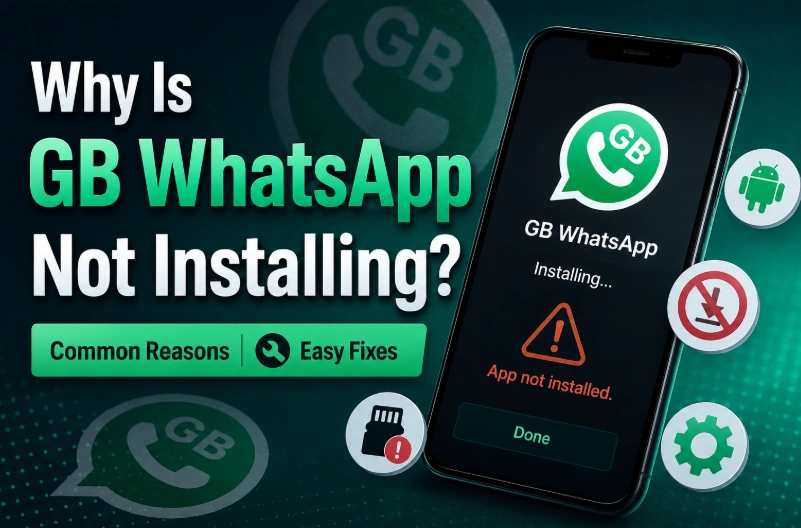
GB WhatsApp installation problems are one of the most common issues Android users face when trying to install a modified WhatsApp version. Sometimes the APK file downloads successfully but the installation stops, shows an error message, or the app simply cannot be installed.
Unlike apps from the Google Play Store, GB WhatsApp APK files need to be installed manually. This means Android security settings, storage space, APK compatibility, and previous WhatsApp versions can affect the installation process.
If GB WhatsApp is not installing on your device, the problem is usually caused by one of these reasons:
- Unknown app installation is disabled
- The APK file is corrupted
- Not enough storage space
- Android version compatibility issues
- Conflict with existing WhatsApp installation
- Permission restrictions
- Old GB WhatsApp version remains on the device
Below are the most effective ways to fix GB WhatsApp installation problems.
Enable Install Unknown Apps on Android
Android blocks APK installations from unknown sources by default to protect users.
If you downloaded GB WhatsApp APK from a browser or file manager, you need to allow installation permission.
Steps:
- Open Settings
- Go to Security or Apps
- Select Install Unknown Apps
- Choose your browser or file manager
- Enable Allow from this source
After enabling this option, try installing GB WhatsApp again.
Check If the GB WhatsApp APK File Is Damaged
A corrupted APK is another common reason why installation fails.
This can happen when:
- The download is interrupted
- The file is incomplete
- The APK was modified incorrectly
- The download source is unreliable
Try these solutions:
- Delete the current APK file
- Download the latest version again
- Make sure the file size matches the original release
- Avoid installing APK files from unknown mirrors
A complete APK file should install normally without errors.
Free Up Storage Space
GB WhatsApp requires enough free storage space for installation and app data.
If your phone storage is almost full, Android may show errors such as:
- App not installed
- Installation failed
- Unable to install application
Recommended:
- Keep at least 500MB to 1GB free space
- Remove unnecessary videos or files
- Clear temporary cache
Then restart your phone and install again.
Remove Previous WhatsApp or GB WhatsApp Conflicts
Sometimes Android prevents installation because another version with the same package name already exists.
Common conflicts:
- Official WhatsApp installed with the same account
- Old GB WhatsApp version
- Another WhatsApp mod installed
Before installing:
- Backup your chats
- Remove the conflicting app
- Restart your device
- Install GB WhatsApp again
Do not delete WhatsApp data before creating a backup.
Check Android Version Compatibility
GB WhatsApp requires a compatible Android version.
Older Android devices may not support newer releases, while some Android versions may block outdated APK builds.
Common compatibility issues:
- Android version too old
- New Android security restrictions
- Unsupported APK architecture
Make sure your device supports the latest GB WhatsApp version.
Clear Package Installer Cache
The Android Package Installer can sometimes cause installation problems.
Try:
- Open Settings
- Go to Apps
- Find Package Installer
- Clear cache
- Restart your phone
Then install the APK again.
Restart Your Android Phone
A simple restart can fix temporary system issues.
Restarting helps clear:
- Background installation processes
- Memory problems
- Temporary Android errors
After restarting, open the APK file and try again.
Download the Latest GB WhatsApp Version
Old APK versions may stop working because of:
- Android updates
- WhatsApp server changes
- Compatibility problems
Using the latest version usually provides:
- Better Android compatibility
- Bug fixes
- Security improvements
- Updated features
Common GB WhatsApp Installation Errors
"App Not Installed"
Possible reasons:
- Existing app conflict
- Corrupted APK
- Insufficient storage
Solution: Remove old versions, download the APK again, and reinstall.
"There Was a Problem Parsing the Package"
Usually caused by:
- Damaged APK
- Unsupported Android version
Solution: Download a compatible APK version.
"Installation Blocked"
Cause: Android security settings are preventing APK installation.
Solution: Enable installation from unknown sources.
FAQ About GB WhatsApp Installation Problems
Why can't I install GB WhatsApp on Android?
The most common reasons are insufficient storage, APK corruption, blocked permissions, or conflicts with another WhatsApp version.
Can I install GB WhatsApp without deleting WhatsApp?
Yes, but some versions may conflict depending on package settings. Always create a backup before installing.
Does GB WhatsApp work on Android 15?
Most recent GB WhatsApp versions support newer Android versions, but compatibility depends on the specific APK release.
Why does GB WhatsApp APK say app not installed?
Usually because another version exists on your phone, the APK is damaged, or your device does not support that version.